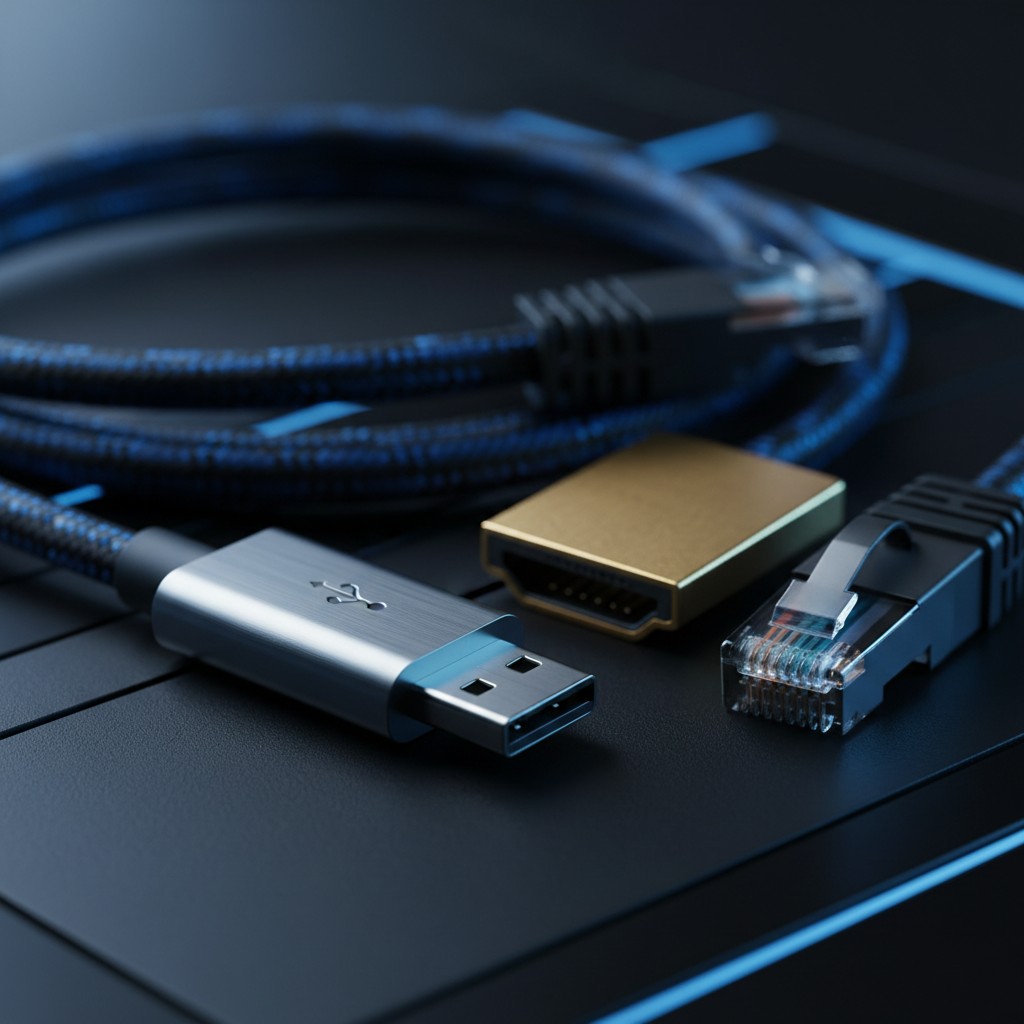
The Ultimate PC Cable Guide: HDMI, USB, LAN & More Explained | computer cable types
Master your PC's connectivity with our deep dive into cable standards, from 80Gbps USB4 and 8K HDMI to ultra-fast NVMe storage and Cat8 networking.

Master your PC's connectivity with our deep dive into cable standards, from 80Gbps USB4 and 8K HDMI to ultra-fast NVMe storage and Cat8 networking.
Trending Now
The Ultimate PC Cable Guide: HDMI, USB, LAN & More Explained
Key Takeaways
- Computer cable types span display, data, power, networking, and audio — each engineered for specific performance thresholds.
- HDMI 2.1 delivers 48 Gbps bandwidth; DisplayPort 2.1 pushes that to 80 Gbps, making cable choice critical for high-refresh, high-resolution setups.
- USB naming has been consolidated under a unified specification, but real-world labeling remains inconsistent — knowing the difference matters.
- NVMe drives outperform SATA SSDs by 10–12x in random IOPS, reflecting why internal connector choice directly impacts system responsiveness.
- Ethernet categories (Cat5e through Cat8) define not just speed but also interference tolerance and future network scalability.
- The global cable and connector market is projected to reach $112.15 billion in 2024, growing at a CAGR of 8.4% through 2034.
1. Introduction to PC Interconnectivity: Why Computer Cable Types Matter
Behind every high-performing workstation, gaming rig, or professional editing suite is an often-overlooked infrastructure of cables — a physical nervous system that determines how fast data moves, how crisply images render, and how reliably power is delivered. Yet for most builders and enthusiasts, computer cable types represent one of the most misunderstood elements of system configuration.
Choosing the wrong display cable can bottleneck a $700 GPU at 60Hz. Running an outdated USB standard can throttle an external SSD to a fraction of its rated speed. Misidentifying a power connector can prevent a system from booting entirely. The stakes, in other words, are real.
"The global cable and connector market is projected to reach $112.15 billion in 2024, expanding at a CAGR of 8.4% through 2034." — Fact.MR
This growth reflects not just volume, but diversity. As display standards evolve, USB generations multiply, and storage interfaces leapfrog in performance, the catalog of cables a PC builder must understand continues to expand. This guide demystifies every major cable category — from legacy VGA connectors to USB4 Version 2.0 — giving you the knowledge to build smarter, upgrade strategically, and future-proof your setup for 2025 and beyond.
2. Power Delivery: Understanding PSU Cables and PC Power Cable Standards
A PC's power supply unit (PSU) is the origin point of every cable that energizes your system. Modern PSUs ship with a standardized set of connectors, each designed for a specific component.
Core PSU cable types include:
- 24-pin ATX connector — The primary motherboard power connector, providing multiple voltage rails (+3.3V, +5V, +12V). All modern motherboards require this.
- 8-pin EPS (CPU power) — Delivers dedicated 12V power to the processor. High-end boards may feature a second 8-pin or a 4+4-pin variant.
- PCIe power connector (6-pin / 8-pin / 16-pin) — Feeds discrete GPUs. NVIDIA's 16-pin 12VHPWR connector, introduced with RTX 40-series cards, delivers up to 600W through a single cable.
- SATA power — A flat 15-pin connector powering storage drives and optical drives.
- Molex (4-pin) — A legacy connector now primarily used for case fans, RGB controllers, and older peripherals.
Modular vs. Non-Modular PSUs: Fully modular PSUs allow users to attach only the cables they need, reducing clutter and improving airflow. Semi-modular designs keep essential cables (24-pin, EPS) fixed while making others detachable.
Critical note: Never use third-party PSU cables with a different manufacturer's PSU unless explicitly rated for that unit. Pinout mismatches can cause component damage.
3. Display Interfaces: HDMI 2.1 vs. DisplayPort 2.1 vs. Legacy VGA
Few decisions affect perceived system performance as dramatically as display cable selection. The difference between a 60Hz experience and a buttery 144Hz or 240Hz display often comes down entirely to the cable standard in use.
HDMI 2.1
HDMI 2.1, governed by the HDMI Forum, supports up to 48 Gbps of bandwidth. This is sufficient for:
- 4K at 120Hz with HDR
- 8K at 30Hz
- Variable Refresh Rate (VRR) and Auto Low Latency Mode (ALLM)
HDMI remains the dominant standard for consumer displays, televisions, and AV equipment. Most modern GPUs and monitors ship with at least one HDMI 2.1 port.
DisplayPort 2.1
For enthusiast-grade PC gaming and professional display work, DisplayPort 2.1 sets the benchmark. It delivers up to 80 Gbps of bandwidth — making it the preferred choice for ultra-high-resolution, high-refresh-rate gaming at resolutions above 4K.
"HDMI 2.1 offers a bandwidth of 48 Gbps, while DisplayPort 2.1 provides up to 80 Gbps for ultra-high-resolution displays." — VCOM
| Feature | HDMI 2.1 | DisplayPort 2.1 | VGA |
|---|---|---|---|
| Max Bandwidth | 48 Gbps | 80 Gbps | ~0.3 Gbps (analog) |
| Max Resolution | 10K | 16K | 2048×1536 |
| Refresh Rate (4K) | 120Hz | 240Hz | N/A |
| Audio Support | Yes | Yes | No |
| Daisy Chaining | No | Yes | No |
| Typical Use Case | TVs, consoles, monitors | Enthusiast monitors, multi-display | Legacy systems only |
VGA: The Legacy Standard
VGA (Video Graphics Array), introduced in 1987, transmits analog signals over a 15-pin D-sub connector. It tops out at 2048×1536 resolution and carries no audio. While VGA has been deprecated from virtually all modern GPUs and monitors, it persists in projectors, older workstations, and educational environments. If your use case involves a VGA display, an active DisplayPort-to-VGA adapter is the recommended bridge solution.
4. The Data Highway: Evolution of USB from 2.0 to USB4 Version 2.0
The Universal Serial Bus ecosystem is both the most widely used and most confusingly named connector family in computing history.
"The USB segment of the connector market is expected to grow at a 6.9% CAGR through 2032 due to the universal adoption of USB-C." — Persistence Market Research
USB Naming Decoded
USB-IF (the USB Implementers Forum) consolidated its naming convention in 2022, replacing marketing names like "USB 3.1 Gen 2" with cleaner terminology. Here's the complete landscape:
| Marketing Name (Old) | Official Name | Max Speed | Connector Types |
|---|---|---|---|
| USB 2.0 | USB 2.0 | 480 Mbps | Type-A, Type-B, Micro-B |
| USB 3.0 / USB 3.1 Gen 1 | USB 3.2 Gen 1 | 5 Gbps | Type-A, Type-C |
| USB 3.1 Gen 2 | USB 3.2 Gen 2 | 10 Gbps | Type-A, Type-C |
| USB 3.2 Gen 2×2 | USB 3.2 Gen 2×2 | 20 Gbps | Type-C only |
| USB 4 Gen 2×2 | USB4 Version 1.0 | 20 Gbps | Type-C only |
| USB 4 Gen 3×2 | USB4 Version 2.0 | 80 Gbps | Type-C only |
Per Eaton / Tripp Lite, the USB 3.0 naming convention has been a source of persistent consumer confusion — the same physical blue Type-A port may carry entirely different performance specifications depending on the generation.
USB4 Version 2.0, released in 2022, represents the current apex of the USB specification, delivering 80 Gbps bidirectional throughput — on par with Thunderbolt 4 — and supports DisplayPort Alternate Mode, PCIe tunneling, and up to 240W power delivery via the USB PD 3.1 specification.
USB 2.0 remains ubiquitous for low-bandwidth peripherals — keyboards, mice, webcams — where its 480 Mbps ceiling is more than sufficient and its widespread backward compatibility is invaluable.
5. Internal Storage: The Performance Gap Between SATA III and NVMe
The transition from SATA to NVMe represents one of the most significant performance leaps in consumer computing history, and it is driven entirely by the interface connecting the drive to the motherboard.
SATA III
The SATA III (6 Gbps) standard has served as the backbone of consumer storage since 2009. SATA SSDs offer real-world sequential read/write speeds in the range of 500–560 MB/s — a substantial improvement over HDDs, but limited by the SATA interface ceiling.
SATA uses a 7-pin data connector paired with a 15-pin SATA power connector. It remains relevant for secondary storage, budget builds, and systems without available M.2 slots.
NVMe (PCIe)
NVMe (Non-Volatile Memory Express) drives connect directly to the CPU via PCIe lanes using the M.2 form factor (or U.2 in enterprise environments). This eliminates the SATA controller bottleneck entirely.
"NVMe drives are roughly 10–12x faster in random IOPS and latency compared to enterprise SATA SSDs." — WeHaveServers
Kingston Technology confirms that NVMe Gen 4 drives routinely achieve 7,000 MB/s sequential reads, with Gen 5 drives pushing 14,000 MB/s — figures entirely out of reach for SATA.
| Metric | SATA III SSD | NVMe Gen 3 | NVMe Gen 4 | NVMe Gen 5 |
|---|---|---|---|---|
| Interface | SATA 6 Gbps | PCIe 3.0 ×4 | PCIe 4.0 ×4 | PCIe 5.0 ×4 |
| Seq. Read | ~560 MB/s | ~3,500 MB/s | ~7,000 MB/s | ~14,000 MB/s |
| Random IOPS | ~100K | ~500K | ~1M | ~2M+ |
| Latency | ~100 µs | ~20 µs | ~20 µs | ~15 µs |
| Connector | 7-pin SATA | M.2 (B+M key) | M.2 (M key) | M.2 (M key) |
For OS drives and primary storage in any 2024–2025 build, NVMe Gen 4 is the minimum recommended standard.
6. Networking Essentials: Categorizing Ethernet Cable Types
Wireless connectivity has matured significantly, but for latency-sensitive applications — competitive gaming, video editing workstations, NAS environments — wired Ethernet remains unmatched in consistency.
According to CablesAndKits Learning Center, Ethernet cable categories define the cable's maximum frequency, shielding, and therefore its data throughput ceiling.
Key Ethernet Categories:
- Cat5e — Supports up to 1 Gbps at 100 MHz. The legacy standard still found in many residential installations. Sufficient for typical home networking.
- Cat6 — Rated for 10 Gbps at distances up to 55 meters at 250 MHz. Better crosstalk rejection than Cat5e. Recommended for new home and small office runs.
- Cat6a — Supports 10 Gbps at up to 100 meters at 500 MHz. The preferred choice for professional environments and future-ready installations.
- Cat7 — Rated for 10 Gbps at 600 MHz with individual pair shielding (S/FTP). More rigid and expensive; less commonly used in consumer environments.
- Cat8 — Designed for data center environments, supporting 25 Gbps or 40 Gbps at 2,000 MHz over distances up to 30 meters. Overkill for home use but relevant for server rack interconnects.
All Ethernet cables terminate in an RJ-45 connector, maintaining form-factor consistency across generations — a deliberate design choice to enable backward compatibility.
Recommendation: For most enthusiast home builds connecting to a multi-gigabit router or NAS, Cat6a represents the optimal balance of performance, flexibility, and cost.
7. Audio and Peripheral Ports: The Persistence of 3.5mm and PS/2
Not every port is defined by bandwidth. Some endure because of their simplicity, latency profile, or sheer ubiquitous adoption.
3.5mm Audio Jack
The 3.5mm TRS (Tip-Ring-Sleeve) connector has been a computing and consumer audio staple for decades. Despite the proliferation of USB-C audio adapters and Bluetooth, the analog 3.5mm jack persists on most desktop motherboards and many laptops due to its zero-latency analog signal path and universal peripheral compatibility.
Modern motherboards typically provide color-coded 3.5mm ports:
- Green — Line out / headphones
- Blue — Line in
- Pink — Microphone
- Black — Rear surround (in 5.1/7.1 configurations)
PS/2 Connectors
The PS/2 port, characterized by its small circular 6-pin DIN connector in either green (mouse) or purple (keyboard) variants, dates to 1987. Despite USB having supplanted it in virtually every consumer context, PS/2 survives on many ATX motherboards because:
- It supports full N-key rollover without firmware workarounds.
- It operates independent of USB polling cycles, offering deterministic input latency.
- It remains active even during BIOS configuration when USB HID drivers are not loaded.
Competitive keyboard enthusiasts and system administrators continue to value PS/2 for precisely these reasons.
8. The Rise of Thunderbolt and USB-C Alternate Modes
Thunderbolt and USB-C represent the convergence of multiple protocols into a single, versatile physical connector.
Thunderbolt 4, developed by Intel in collaboration with USB-IF, delivers:
- 40 Gbps bidirectional bandwidth
- Support for two 4K displays or one 8K display
- Up to 100W power delivery
- PCIe 3.0 tunneling for external GPU enclosures
- Mandatory Thunderbolt certification for all certified devices (unlike USB4, which has variable feature sets)
Thunderbolt 5, announced in 2023, doubles the bandwidth ceiling to 80 Gbps (with Bandwidth Boost enabling 120 Gbps for display traffic), positioning it as the premier cable standard for external high-performance peripherals through 2025 and beyond.
USB-C Alternate Mode allows the USB-C physical connector to carry non-USB protocols — including DisplayPort, HDMI, and Thunderbolt — depending on the host controller's capabilities. This explains why two physically identical USB-C cables may perform vastly differently based on their certified specification.
Key insight: Always verify the certification level of your USB-C cable. A cable labeled only "USB-C" may support nothing beyond USB 2.0 speeds (480 Mbps) despite its modern form factor.
9. Internal Motherboard Connectors: ATX, EPS, and Fan Headers
Inside the chassis, a modern motherboard hosts a dense ecosystem of internal connectors that builders must navigate:
- 24-pin ATX main power — Primary motherboard power; discussed under PSU cables.
- 4/8-pin EPS CPU power — Located near the CPU socket; high-end boards feature dual 8-pin for extreme overclocking headroom.
- PCIe x16 slot — Physical interface for discrete GPUs; no cable required, but PCIe riser cables are used in vertical GPU mounting configurations.
- SATA data (7-pin) — L-shaped connector linking the motherboard's SATA controller to storage drives.
- M.2 slot — Direct PCIe/NVMe interface; no cable needed — drives insert directly.
- 4-pin PWM fan headers — Control CPU cooler and case fans; PWM (Pulse Width Modulation) headers provide variable speed control for noise optimization.
- Front panel headers — A cluster of 2-pin connectors for power button, reset button, HDD LED, and power LED, typically located at the bottom-right of the motherboard.
- USB 3.2 Gen 1 internal header (20-pin) — Powers front-panel USB-A ports.
- USB 3.2 Gen 2×2 / USB4 internal header (40-pin) — Powers front-panel USB-C ports on compatible cases.
10. Cable Management for Enthusiasts: Aesthetics and Airflow
Cable management is not merely aesthetic — it is a functional discipline. Poor routing obstructs airflow paths, increases internal temperatures, and can introduce vibration-induced connector wear over time.
Best practices for enthusiast cable management:
- Route cables behind the motherboard tray whenever the case provides a rear channel with sufficient depth.
- Use cable combs or Velcro ties (never zip ties that cannot be removed without cutting) to bundle parallel runs neatly.
- For custom loop cooling systems, braided sleeved extensions for PSU cables offer premium aesthetics without compromising electrical integrity.
- In airflow-optimized cases (front-to-rear positive pressure), keep cables clear of the front intake and CPU tower fin stack.
- Modular PSUs significantly simplify management by eliminating unused cable runs entirely.
11. Future-Proofing: How to Choose Computer Cable Types for 2025 and Beyond
Selecting cables with longevity in mind requires understanding both current bottlenecks and near-term roadmap developments:
Display: If your GPU and monitor both support DisplayPort 2.1, prioritize it over HDMI 2.1 for maximum headroom — particularly at 1440p 240Hz and 4K 165Hz+. For living-room or console-adjacent setups, HDMI 2.1 remains the more versatile choice due to TV compatibility.
USB: Invest in USB4 / Thunderbolt 4 certified cables for your primary external drive dock or display connection. These cables are backward compatible and provide maximum flexibility as peripherals evolve.
Storage: There is no practical reason to use SATA for a primary OS drive in a 2025 build. NVMe Gen 4 is the baseline; Gen 5 is warranted for prosumer workloads involving large sequential file transfers.
Networking: Install Cat6a or better during any new cable run. Retrofitting structured cabling is costly; over-specifying slightly at installation is negligible in comparison.
Power: If building with an RTX 4000 or 5000 series GPU, verify your PSU ships with a native 16-pin (12VHPWR / 12V-2×6) cable rather than an adapter chain — the latter has been associated with connector thermal events at high sustained loads.
12. Conclusion: Simplifying the PC Wire Nest
Understanding computer cable types is no longer optional knowledge for anyone serious about building, upgrading, or optimizing a modern PC. From the analog persistence of VGA and PS/2 to the bleeding-edge throughput of USB4 Version 2.0 and DisplayPort 2.1, every cable category serves a defined function — and substituting or overlooking them introduces real performance and reliability consequences.
The market's trajectory toward $112.15 billion by 2024 underscores that cables are not a commodity afterthought — they are a precision engineering discipline responding to the insatiable demands of modern computing. As resolutions climb, storage bandwidth multiplies, and power delivery requirements intensify, selecting the right computer cable types becomes as integral to a build as choosing the right processor or GPU.
Build with intention. Cable with knowledge.
Sources
- Fact.MR — Cable and Connector Market
- VCOM — DisplayPort vs HDMI in 2025
- WeHaveServers — NVMe vs SATA SSD Benchmarks
- Persistence Market Research — Cables and Connectors Market
- Eaton / Tripp Lite — USB Port Types & Standards
- HDMI.org — HDMI 2.1b Specification
- Kingston Technology — NVMe vs SATA
- CablesAndKits Learning Center — Ethernet Cable Categories
Advertisement
Frequently Asked Questions
What are the primary differences between VGA and HDMI cables?
VGA is an analog interface supporting a maximum resolution of 2048x1536 at 85Hz, whereas HDMI 2.1 is digital, supporting up to 10K resolution, HDR, and a bandwidth of 48Gbps.
How much faster is USB 3.0 compared to USB 2.0?
USB 3.0 (now known as USB 3.2 Gen 1) offers data transfer speeds of up to 5Gbps, which is approximately 10 times faster than the 480Mbps maximum speed of USB 2.0.
What is the performance gap between Cat5e and Cat6 LAN cables?
Cat5e cables support speeds up to 1Gbps at 100MHz frequencies, while Cat6 cables support up to 10Gbps for distances up to 55 meters and operate at frequencies up to 250MHz.
What are the speed specifications for SATA 2.0 and SATA 3.0 interfaces?
SATA 2.0 provides a maximum data transfer rate of 3Gbps, while SATA 3.0 doubles that throughput to 6Gbps, making it the standard for modern 2.5-inch SSDs.
How do PCIe 6-pin and 8-pin power cables differ in wattage output?
A standard 6-pin PCIe power cable is designed to provide up to 75W of power, whereas an 8-pin PCIe cable can deliver up to 150W to high-performance GPUs.
Sponsored
Curious about technology, mathematics, education, and growth, I write as a learner exploring ideas in innovation, problem-solving, culture, and the questions shaping our world.
You Might Also Like


Advertisement
Comments (0)
Sign in to join the conversation
No comments yet. Be the first to share your thoughts!