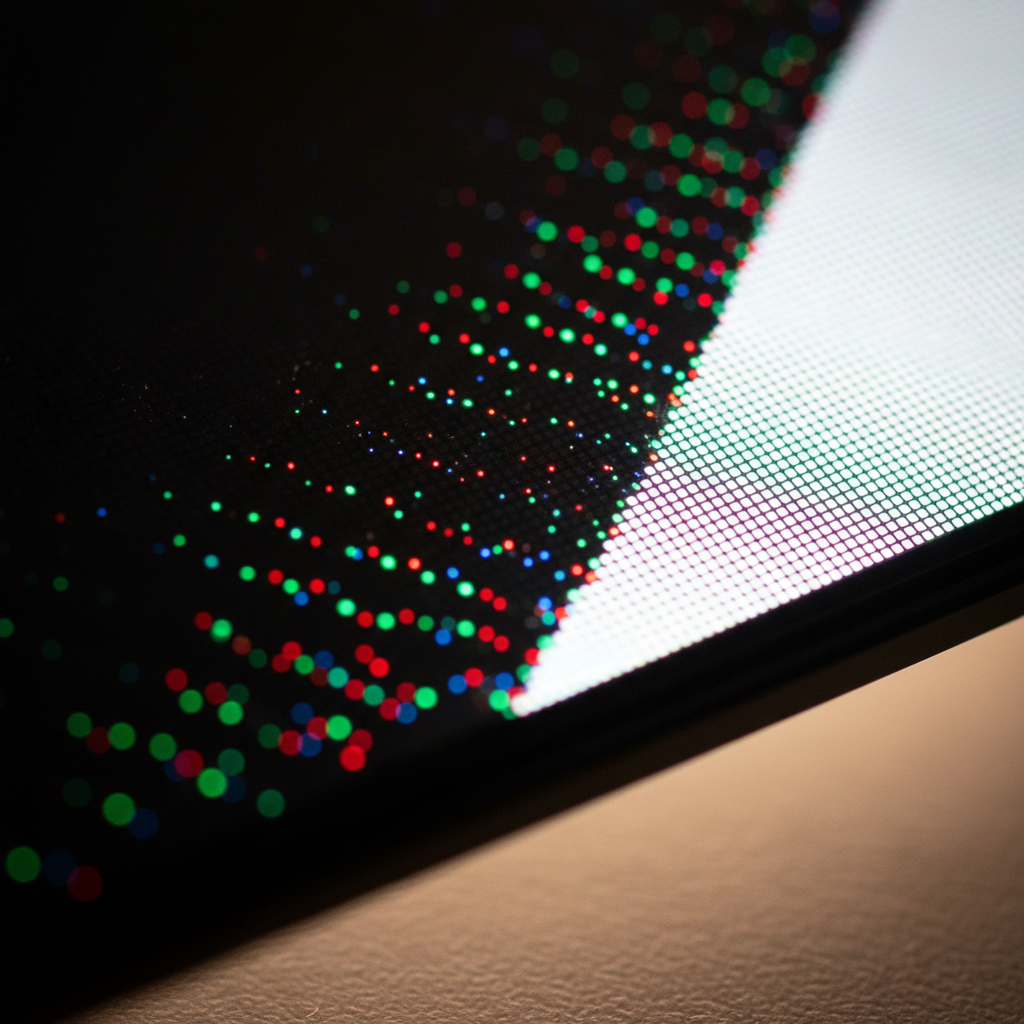
LCD vs. LED vs. OLED: Which Monitor Technology is Right for You? | monitor panel types
Demystify monitor tech. From IPS speed to OLED's infinite contrast, learn everything about LCD, LED, AMOLED, and the future of Micro-LED displays.

Demystify monitor tech. From IPS speed to OLED's infinite contrast, learn everything about LCD, LED, AMOLED, and the future of Micro-LED displays.
Trending Now
📌 Key Takeaways
- "LCD" and "LED" monitors are basically the same thing — LED is just a backlight upgrade to LCD technology
- IPS, VA, and TN are the three main LCD panel subtypes, each with real tradeoffs in color, contrast, and speed
- OLED delivers true blacks and infinite contrast but comes with burn-in risk
- QD-OLED is the exciting hybrid technology combining quantum dots with organic light emission
- Mini-LED bridges the gap between LCD and OLED with thousands of local dimming zones
- Micro-LED is the expensive-but-promising future of display tech
- Your ideal monitor panel type depends on what you actually do at your desk
Introduction to Modern Monitor Technologies
So you're shopping for a new monitor and suddenly you're drowning in acronyms. LCD, LED, OLED, AMOLED, QLED, Mini-LED, QD-OLED, Micro-LED — it honestly sounds like someone spilled alphabet soup on a spec sheet. Don't worry, you're not alone in feeling completely lost.
Here's the thing: understanding monitor panel types is genuinely useful, not just for bragging at LAN parties, but because the wrong panel can make your daily workflow annoying, your gaming sessions frustrating, or your creative work straight-up inaccurate. The display is the one component you interact with every single second your computer is on.
The good news? Once you strip away the marketing fluff, the core concepts are pretty straightforward. Let's walk through every major display technology on the market today — what it is, how it works, who it's for, and where it falls flat.
LCD vs. LED: Deciphering the Marketing Jargon
Let's get the biggest misconception out of the way first. When a manufacturer says their monitor is an "LED monitor," they're not really telling you it's a different technology from LCD. An LED monitor is still an LCD monitor. The LED part just refers to how it's backlit.
Here's the quick history: older LCD monitors used CCFL (Cold Cathode Fluorescent Lamp) backlights. They worked fine, but they were bulky, power-hungry, and slow to respond to brightness changes. Then manufacturers swapped those fluorescent tubes out for LED (Light Emitting Diode) backlights, which are thinner, more energy-efficient, and brighter. They slapped "LED" on the box and called it a new product. Classic marketing, right?
So every "LED monitor" you've seen for the past decade is technically an LED-backlit LCD monitor. The liquid crystal display layer still does all the image work — it just uses LED light sources behind it instead of fluorescent lamps.
| Term | What It Actually Means |
|---|---|
| LCD Monitor | Uses liquid crystals to control light from a backlight |
| LED Monitor | An LCD with LED backlighting (not a fundamentally different tech) |
| CCFL LCD | Older LCD using fluorescent backlighting (rare today) |
| OLED | No backlight at all — pixels emit their own light |
Understanding this distinction matters because it shapes how you evaluate every other technology on this list.
The Big Three LCD Panels: TN, IPS, and VA Explained
Within the LCD family, there are three major panel subtypes, and they behave very differently from each other. Your choice here involves real tradeoffs.
TN (Twisted Nematic) panels are the oldest of the three and the cheapest to produce. Their biggest selling points are raw speed — response times as low as 1ms and refresh rates that pushed into high territory early on. Competitive esports players gravitated toward TN for years because of this. The downsides are hard to ignore though: color accuracy is mediocre, color gamut is limited, and viewing angles are genuinely terrible. Tilt the screen slightly and the colors shift dramatically. TN panels are becoming less popular as IPS panels have caught up in speed.
IPS (In-Plane Switching) panels are the sweet spot for most people. They offer wide 178-degree viewing angles, excellent color reproduction, and solid brightness. Professional creatives, photographers, and anyone doing color-critical work typically prefer IPS. The historical knock against IPS was slower response times, but modern fast IPS panels have pushed down to 1ms GTG (gray-to-gray) response times, making them more than capable for gaming. It's no surprise that IPS panels dominated the gaming monitor market with approximately 40% of revenue share in 2024, according to Emergen Research.
VA (Vertical Alignment) panels sit between TN and IPS in an interesting way. They offer the best contrast ratios of any LCD subtype — often 3,000:1 to 6,000:1 natively, compared to IPS at around 1,000:1. That means deeper blacks and punchier images, which is fantastic for movies and dark-room gaming. The tradeoffs? Slower pixel response times (which can cause "smearing" in fast motion), and a problem called black smear where dark pixels blur during motion. If your primary use is movies and single-player games, VA is underrated. If you're chasing competitive gaming performance, you might feel the limits.
| Panel Type | Response Time | Color Accuracy | Contrast Ratio | Viewing Angles | Best For |
|---|---|---|---|---|---|
| TN | 1ms | Poor | ~1,000:1 | Narrow | Budget competitive gaming |
| IPS | 1-4ms | Excellent | ~1,000:1 | Wide | Gaming, creative work, everyday use |
| VA | 4-8ms | Good | 3,000–6,000:1 | Moderate | Movies, dark environments |
The OLED Revolution: Emissive Lighting and Perfect Blacks
Now we're getting into genuinely different territory. OLED (Organic Light Emitting Diode) panels don't use a backlight at all. Each pixel produces its own light and can turn completely off independently.
This one design difference creates a cascade of advantages. When a pixel turns off, it's truly off — producing absolute zero light output. That means OLED achieves a theoretically infinite contrast ratio, something no LCD can match regardless of how many dimming zones it has. Dark scenes in movies look stunningly deep and rich in a way that's genuinely hard to unsell once you've seen it.
Beyond contrast, OLED panels are fast. Pixel response times under 0.1ms are common, which makes motion clarity exceptional. Colors are vivid, the panels are incredibly thin, and the viewing angles are essentially perfect.
"OLED monitor panel shipments are expected to reach 3.2 million units in 2025, up from significantly lower volumes in 2023." — Omdia Display Research
That growth trajectory tells the story pretty clearly — OLED is no longer niche.
The big caveat? Burn-in. Because organic compounds are involved, static elements (taskbars, HUD elements in games, desktop icons) displayed for long periods can permanently "burn" into the panel. Modern OLED monitors include mitigation features like pixel shifting and brightness limiting on static elements, but burn-in remains a legitimate long-term concern, especially for productivity-heavy users.
AMOLED and Beyond: Why Active Matrix Matters for Speed
You've almost certainly seen AMOLED on smartphone spec sheets, but it's increasingly relevant in monitor discussions too. AMOLED stands for Active Matrix Organic Light Emitting Diode, and the "active matrix" part is the key differentiator.
The "active matrix" refers to a thin-film transistor (TFT) layer that controls each pixel individually and stores electrical charge between refresh cycles. This is contrasted with PMOLED (Passive Matrix OLED), which addresses pixels in rows and columns sequentially — fine for small displays but completely impractical for large, high-resolution screens.
AMOLED monitor benefits are substantial for performance-focused users. The individual pixel control enables faster switching speeds, better power efficiency at higher resolutions, and improved precision at the sub-pixel level. For gaming monitors, AMOLED technology underpins some of the best-performing panels available today, combining the deep blacks of OLED with snappy, precise pixel response.
The Samsung Odyssey OLED G8 and similar high-end gaming displays use AMOLED panels, delivering 0.03ms response times — numbers that make even the fastest IPS panels look sluggish in comparison.
The New Contenders: Mini-LED and Local Dimming Zones
Mini-LED is essentially LCD fighting back against OLED, and it's a pretty compelling comeback story.
Traditional LCD backlights have a handful of dimming zones — sometimes just one. Mini-LED technology shrinks the individual LED backlight elements dramatically, allowing thousands of LEDs to fit behind a single panel. High-end Mini-LED monitors can feature over 1,000 local dimming zones, compared to a few dozen in standard edge-lit displays.
More dimming zones mean more precise control over which parts of the screen are bright and which are dark. The result is significantly improved contrast ratios — not OLED-level infinite contrast, but a dramatic improvement over standard LCD. PCWorld has noted that Mini-LED is increasingly favored for professional monitors where peak brightness nits matter enormously — some Mini-LED displays hit 2,000+ nits of sustained brightness, easily outperforming most OLED panels in this regard.
The lingering issue is blooming — halos of light that appear around bright objects on dark backgrounds, caused by imprecise zone control. It's gotten much better with higher zone counts, but it's not fully eliminated yet.
Mini-LED sits in a fascinating market position: better brightness and longer lifespan than OLED, but can't fully match OLED's contrast or response time.
QD-OLED: Combining Quantum Dots with Organic Light
This is where things get really interesting. QD-OLED (Quantum Dot OLED) is a hybrid technology developed primarily by Samsung Display that layers quantum dot color filters on top of a blue OLED backplane.
Here's how it works: the OLED layer emits blue light. Quantum dots — semiconductor nanocrystals — then convert that blue light into red, green, or pure blue subpixels with exceptional color purity. The result is a wider color gamut and higher peak brightness than traditional white OLED designs, while retaining all the contrast and speed benefits of OLED.
QD-OLED monitors like the Dell Alienware AW3423DW and Samsung Odyssey OLED G9 have received widespread critical acclaim for delivering 90%+ DCI-P3 color volume, combined with infinite contrast ratios and sub-millisecond response times. According to DisplayNinja, QD-OLED represents one of the most significant advancements in display technology in recent years, offering a compelling package for both creative professionals and hardcore gamers.
| Technology | Contrast | Peak Brightness | Color Gamut | Burn-in Risk | Price |
|---|---|---|---|---|---|
| IPS LCD | ~1,000:1 | 300–600 nits | Good | None | $ |
| VA LCD | 3,000–6,000:1 | 300–600 nits | Good | None | $ |
| Mini-LED | Up to 50,000:1* | 1,000–2,000+ nits | Very Good | None | $$ |
| OLED (WBOLED) | Infinite | 500–1,000 nits | Very Good | Moderate | $$$ |
| QD-OLED | Infinite | 800–1,500 nits | Excellent | Moderate | $$$ |
| Micro-LED | Infinite | 5,000+ nits | Excellent | Very Low | $$$$ |
*Local dimming contrast; pixel-level contrast still limited
Micro-LED: The Future of Professional and Consumer Displays
Micro-LED is the technology everyone in the display industry is watching with barely-contained excitement. Like OLED, Micro-LED is a self-emissive technology — each pixel produces its own light. But instead of organic compounds, it uses inorganic microscopic LED elements that are dramatically more durable and efficient.
The advantages over OLED are significant on paper: no burn-in risk, far higher sustained brightness potential (5,000+ nits in some implementations), longer operational lifespan, and similar contrast performance. Micro-LED panels also maintain their brightness and color accuracy much better in direct sunlight or brightly lit rooms.
So why isn't everyone using Micro-LED? Cost. Manufacturing Micro-LED panels requires transferring millions of microscopic LEDs onto substrates with extreme precision — a process that's extraordinarily difficult to scale. Right now, Micro-LED displays are primarily found in commercial installations, luxury TVs, and professional visualization systems at prices most individuals simply can't justify.
That said, manufacturing improvements are coming. Industry analysts expect consumer Micro-LED monitors to enter more accessible price tiers within the next three to five years. When they do, they could fundamentally reshape the premium display market.
Brightness and HDR: Nits, Gamut, and Visual Impact
Monitor peak brightness nits matter a lot more than most buyers realize. For standard SDR (Standard Dynamic Range) use, 250–400 nits is plenty. But HDR (High Dynamic Range) content is a different story entirely.
To experience HDR as intended, displays need high peak brightness capability for specular highlights — the bright spots in an image like sun glare, flames, or studio lights. The DisplayHDR certification tiers give you a quick reference: DisplayHDR 600 requires 600 nits peak, while DisplayHDR 1000 and 1400 push into territory where the experience genuinely transforms.
Beyond brightness, color gamut coverage determines how saturated and accurate your colors appear. The key standards to know:
- sRGB — standard for web content and most everyday use (~16.7 million colors)
- DCI-P3 — the cinema standard, noticeably wider than sRGB, important for video editors
- Rec. 2020 — the broadcast HDR standard, extremely wide, not many consumer panels hit it fully
High-quality IPS, Mini-LED, and OLED panels targeting creative professionals typically target 95–99% DCI-P3 coverage, which provides noticeably more vivid, accurate imagery for photo and video work.
Motion Clarity: Response Times and Refresh Rates Across Panels
Two specs dominate gaming display conversations: refresh rate and response time. They're related but measure different things.
Refresh rate (measured in Hz) is how many times per second your monitor redraws the image. Higher refresh rates produce smoother motion. Response time is how quickly individual pixels can change from one color to another — lower is better, as slow response times cause motion blur or "ghosting."
"Monitors with refresh rates above 144Hz capture roughly 45% of the total gaming display market share." — Global Insight Services
That statistic reflects a real shift in buyer expectations — 144Hz is now the baseline, with 240Hz and 360Hz panels becoming increasingly common in competitive gaming setups. OLED and AMOLED panels particularly shine here, combining ultra-low response times with high refresh rates in a way that older LCD technologies struggle to match.
Panel Longevity: Understanding Burn-in and Image Retention
If you're seriously considering OLED or QD-OLED, burn-in deserves honest discussion.
Burn-in occurs when static image elements permanently degrade the organic compounds in localized areas of an OLED panel. Image retention is a temporary version of the same phenomenon — it fades after time. Modern OLED monitors include aggressive protection measures: pixel-shifting (subtly moving the image), screensavers, automatic brightness limiters on static elements, and proximity sensors that dim the display when you step away.
In real-world use, casual users who rotate their activities rarely experience burn-in. The higher-risk scenarios are: leaving a static desktop with a persistent taskbar running for years, extended single-title gaming with a fixed HUD, or financial/coding workflows with unchanging UI elements.
Mini-LED and LCD technologies carry essentially zero burn-in risk, which is a genuine advantage for enterprise and productivity use cases. Micro-LED's inorganic construction also sidesteps burn-in, which is part of why the industry is so excited about it for long-term professional applications.
The gaming monitor market itself reflects the confidence growing around displays — the global market is projected to grow from $18.4 billion in 2024 to $43.6 billion by 2034, according to Emergen Research, which means manufacturers are investing heavily in solving these durability challenges.
Buying Guide: Which Monitor Panel Type Suits Your Specific Workflow?
Alright, let's bring this home. Here's how to actually make your decision based on what you do:
🎮 Competitive Gaming (FPS, Battle Royale) Go with a fast IPS or AMOLED panel at 240Hz or higher. Response time and refresh rate matter more than contrast here. OLED gaming monitors like the LG UltraGear OLED 27GR95QE offer the ideal combo if budget allows.
🎮 Immersive Single-Player / RPG Gaming VA or OLED are your friends here. VA gives you great contrast at a lower price point. OLED gives you the full cinematic experience with those infinite blacks.
🎨 Photo and Video Editing IPS remains the gold standard for color accuracy and viewing angles. Look for wide color gamut coverage (95%+ DCI-P3) and factory calibration. QD-OLED is increasingly viable here too.
🎬 Movies and Entertainment OLED or QD-OLED, no contest. The infinite contrast ratio and color vibrancy make HDR content look extraordinary.
💻 Office Work and Productivity (Long Hours) IPS for viewing angles and color consistency, or Mini-LED IPS if you want better contrast without burn-in risk. Longevity matters more than peak specs here.
💰 Tight Budget TN if speed is everything, VA if you want better image quality for movies and casual gaming. Both deliver solid value at lower price points.
🚀 Future-Proofing / No Budget Limit QD-OLED or a flagship Mini-LED today, with eyes on Micro-LED as it becomes more accessible in the coming years.
The world of monitor panel types has never been more exciting or more confusing simultaneously. But once you understand the fundamental tradeoffs — LCD's brightness ceiling vs. OLED's perfect blacks, IPS's color accuracy vs. VA's contrast, Mini-LED's longevity vs. QD-OLED's vibrancy — you can cut through the marketing noise and pick the display that actually fits your life.
Whatever you choose, you're buying into a display landscape that's advancing faster than at any point in the past decade. It's a genuinely great time to care about monitors.
Sources
Advertisement
Frequently Asked Questions
What is the technical difference between LCD and LED monitors?
LED monitors are actually a subset of LCD technology that utilize Light Emitting Diodes for backlighting instead of older Cold Cathode Fluorescent Lamps (CCFL). This transition reduced power consumption by approximately 40% and allowed for significantly higher peak brightness levels and thinner panel profiles.
How do OLED and AMOLED panels achieve infinite contrast ratios?
OLED and AMOLED displays use self-emissive organic compounds where each individual pixel generates its own light. By turning pixels completely off to display black, they achieve a theoretical contrast ratio of infinity to one and response times as low as 0.03ms GtG, which is significantly faster than the 1ms typical of high-end LCDs.
What are the performance trade-offs between IPS, VA, and TN panel types?
IPS panels offer the best color accuracy and 178-degree viewing angles. VA panels provide superior native contrast ratios, typically between 3000:1 and 5000:1. TN panels remain relevant for competitive gaming due to ultra-low latency and their ability to reach refresh rates as high as 540Hz, though they have poor color reproduction.
What is Mini-LED technology and how many dimming zones does it typically feature?
Mini-LED utilizes diodes smaller than 0.2mm to create more precise backlighting. While standard LED monitors have few or no dimming zones, high-end Mini-LED displays often feature between 576 and 2304 local dimming zones to minimize blooming and rival OLED black levels while maintaining brightness over 1000 nits.
How does QLED technology enhance color reproduction in monitors?
QLED or Quantum Dot LED uses a film of semiconducting nanocrystals that convert blue backlight into highly saturated primary colors. This enables displays to cover 100% of the sRGB space and often over 95% of the DCI-P3 color gamut, providing more vibrant and accurate colors for HDR content.
Sponsored
Curious about technology, mathematics, education, and growth, I write as a learner exploring ideas in innovation, problem-solving, culture, and the questions shaping our world.
You Might Also Like


Advertisement
Comments (0)
Sign in to join the conversation
No comments yet. Be the first to share your thoughts!