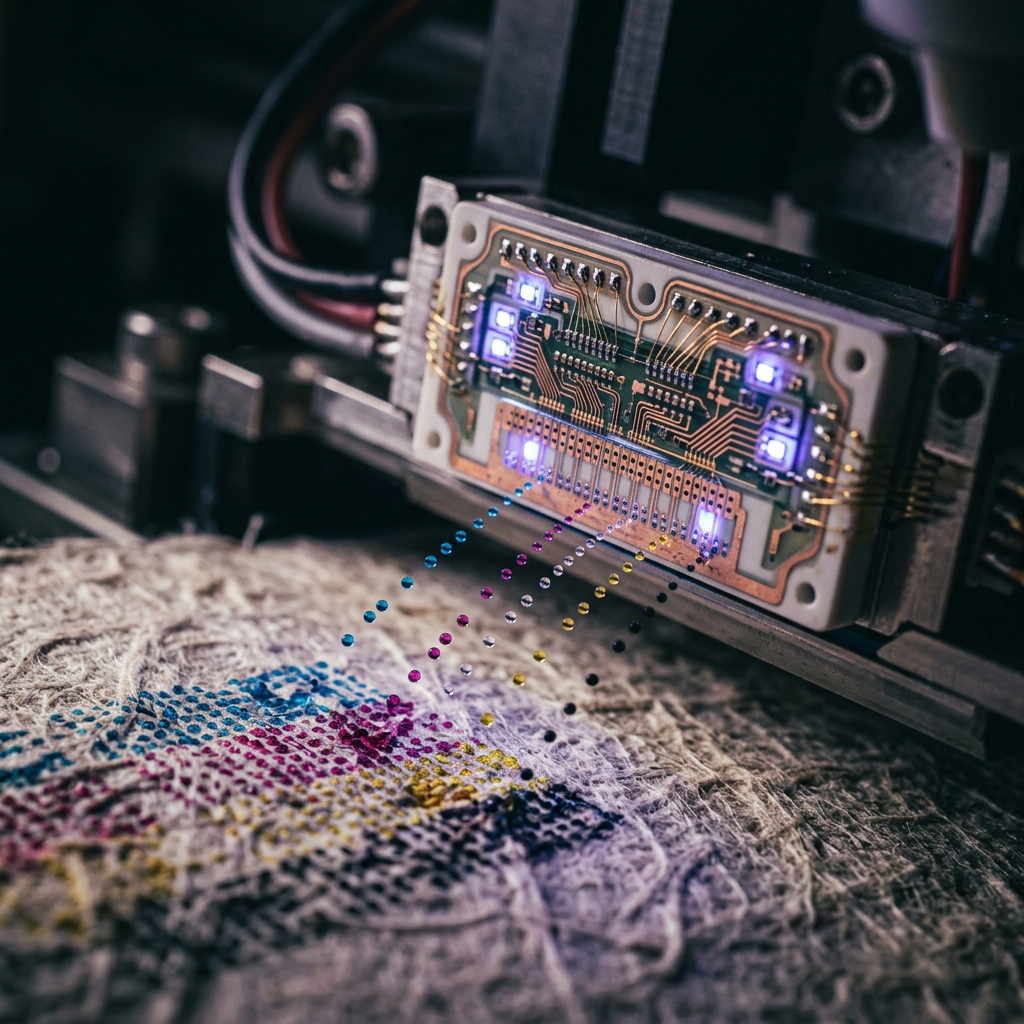
How Printers Work: The Deep Tech Behind Modern Printing Systems | how printer works
Discover the intricate engineering of modern printers, from piezoelectric inkjet nozzles to the electrostatic magic of laser toner and AI-driven tech.

Discover the intricate engineering of modern printers, from piezoelectric inkjet nozzles to the electrostatic magic of laser toner and AI-driven tech.
Trending Now
How Printers Work: The Deep Tech Behind Modern Printing Systems
Key Takeaways
- Modern printers rely on fundamentally different physics — inkjet systems use thermal or piezoelectric mechanics, while laser printers execute a precise 6-step electrostatic cycle.
- The CMYK color model governs how virtually all commercial and consumer printers reproduce full-color imagery from just four ink or toner channels.
- DPI (dots per inch) is not merely a marketing metric — it is a measurable function of print head engineering, substrate interaction, and optical perception.
- The global printer market is projected to reach $55.63 billion in 2025, reflecting enduring demand despite digital disruption.
- 3D printing is transitioning from prototyping novelty to industrial necessity, with its market forecast to reach $186.92 billion by 2033.
- AI-driven print infrastructure is becoming mainstream, with 84% of organizations planning to increase AI-related print expenditure.
1. Introduction: The Enduring Complexity of How a Printer Works
At first glance, a printer appears deceptively simple: you send a file, something hums, paper emerges with ink on it. In reality, understanding how a printer works reveals one of the most sophisticated intersections of chemistry, physics, mechanical engineering, and digital signal processing in everyday consumer technology.
The modern printer — whether a desktop inkjet, a commercial laser system, or an industrial 3D fabrication unit — executes hundreds of coordinated micro-operations per second. Each printed character is the result of precise thermal or electrostatic force, sub-micron droplet placement, and color-space mathematics working in concert.
"The global printer market size is projected to reach $55.63 billion in 2025, growing from $53.28 billion in 2024." — StickerYou / Quocirca
That scale of industry investment reflects something important: printing technology, far from being obsolete, is actively evolving. From AI-optimized output calibration to erasable inks and cloud-native print ecosystems, the sector is undergoing a period of significant reinvention.
This article breaks down the core mechanics, physics, and emerging frontiers of modern printing technology — in the depth that the subject genuinely deserves.
2. How Inkjet Printers Work: Thermal vs. Piezoelectric Heads
Inkjet printing is, at its core, a fluid dynamics problem. The printer must deposit precisely sized droplets of liquid ink at precisely defined coordinates on a substrate — typically at speeds exceeding 30 pages per minute in high-end consumer systems.
There are two dominant engineering approaches to achieving this:
Thermal Inkjet (TIJ)
Used by brands like HP and Canon, thermal inkjet technology operates by rapidly heating a tiny resistor element within each ink chamber. This heating — reaching temperatures above 300°C in microseconds — causes the surrounding ink to vaporize and form a bubble. The rapid expansion of that bubble ejects a droplet through the nozzle. As the bubble collapses, a vacuum refills the chamber with fresh ink.
This cycle happens thousands of times per second, per nozzle. A modern thermal inkjet print head may contain 600 to over 3,000 individual nozzles, each cycling independently.
Piezoelectric Inkjet
Favored by Epson and many industrial systems, piezoelectric technology replaces the thermal resistor with a piezoelectric crystal. When voltage is applied, the crystal deforms — mechanically compressing the ink chamber and forcing a droplet out of the nozzle. No heat is generated in the ink itself.
This distinction carries practical significance. Because piezoelectric heads do not heat the ink, they can work with a broader range of ink chemistries, including UV-curable inks, solvent inks, and specialty formulations used in textile or ceramic printing.
| Feature | Thermal Inkjet | Piezoelectric Inkjet |
|---|---|---|
| Ejection Mechanism | Vapor bubble (heat) | Crystal deformation (voltage) |
| Ink Compatibility | Water-based primarily | Wide range (UV, solvent, dye-sub) |
| Print Head Lifespan | Shorter (heat degrades nozzles) | Longer (no thermal stress) |
| Cost of Entry | Lower (consumer-friendly) | Higher (industrial applications) |
| Key Brands | HP, Canon, Lexmark | Epson, Ricoh, industrial OEMs |
Inkjet printers are expected to lead the global market with a 50.7% share by 2025 due to their versatility and cost-efficiency. — Future Market Insights
That dominance is not accidental. The flexibility of inkjet — from photo paper to fabric to circuit boards — makes it the foundational technology across consumer, professional, and industrial segments simultaneously.
3. The Physics of Laser Printing: The 6-Step Electrostatic Cycle
Where inkjet printing is a story about fluid mechanics, laser printing is a story about electrostatics. The core principle — using electrical charge to attract and repel particles — was first commercialized by Xerox in the 1970s and remains the backbone of high-volume office printing today.
The electrostatic printing process proceeds through six distinct stages:
Step 1 — Cleaning
The photoconductor drum is physically cleaned of residual toner and residual charge from the previous print cycle using a rubber blade and charge-neutralizing lamp.
Step 2 — Conditioning (Charging)
A corona wire or charge roller applies a uniform negative electrostatic charge across the entire surface of the photoconductor drum, typically around –600 to –900 volts.
Step 3 — Exposing (Writing)
A laser beam — modulated by the digital print data — scans across the drum surface using a rotating polygonal mirror. Wherever the laser strikes, it discharges the photoconductor, reducing the charge to approximately –100 volts. This creates an invisible latent electrostatic image on the drum.
Step 4 — Developing
The toner cartridge contains fine polymer-based particles carrying a negative charge. As the drum rotates past the development roller, toner particles are attracted to the discharged (laser-written) areas of the drum, which carry a less-negative charge — adhering via electrostatic attraction.
Step 5 — Transferring
The paper is given a strong positive charge as it passes through the printer. The negatively charged toner on the drum is electrostatically attracted to the paper's surface, transferring the toner image.
Step 6 — Fusing
The toner is permanently bonded to the paper through the toner fuser assembly (covered in detail in Section 6).
This cycle repeats for every page — completing in a fraction of a second per revolution on modern high-speed laser systems.
4. Understanding Resolution: The Science of DPI and Dot Pitch
DPI — dots per inch — is the quantitative measure of a printer's spatial resolution. It defines how many individual ink or toner dots can be placed within a linear inch of substrate. A printer operating at 1200 × 1200 DPI is capable of placing 1,440,000 individual dots within a single square inch.
However, resolution science is more nuanced than the headline number suggests.
Addressable DPI refers to the mechanical precision with which the print head or laser can be positioned. Optical DPI refers to the perceptible resolution — the point at which the human eye can no longer resolve individual dots under standard viewing conditions (typically around 300 DPI for printed text at normal reading distance).
Dot gain — the tendency for ink to spread upon contact with substrate — means that the effective resolution of a print is always lower than the addressable DPI. Premium coated papers minimize dot gain; porous or uncoated stocks amplify it.
In laser systems, resolution is further constrained by the spot size of the laser beam, the rotational speed of the polygonal mirror, and the charge sensitivity of the photoconductor drum.
| Resolution | Typical Application | Visual Quality |
|---|---|---|
| 300 DPI | Standard document printing | Acceptable for text |
| 600 DPI | Office graphics, basic photo | Clear, minimal artifacts |
| 1200 DPI | Professional photo printing | High fidelity, fine detail |
| 2400+ DPI | Commercial prepress, fine art | Near-photographic |
| 4800 DPI | Premium photo inkjet systems | Archival-quality output |
5. Color Theory in Print: How CMYK Overlays Create Reality
Digital screens generate color through additive synthesis — combining red, green, and blue light to produce the full visible spectrum. Print operates on the exact opposite principle: subtractive synthesis.
The CMYK color model — Cyan, Magenta, Yellow, and Key (Black) — works by applying semi-transparent ink layers that selectively absorb certain wavelengths of white light. Cyan ink absorbs red light. Magenta absorbs green. Yellow absorbs blue. By overlaying these inks at varying densities, a printer can reproduce a vast gamut of perceived colors.
Why K (Black) is separate from CMY combined: Theoretically, equal parts of Cyan, Magenta, and Yellow should produce black. In practice, they produce a muddy dark brown due to ink impurities and substrate absorption inconsistencies. Dedicated black toner or ink produces sharper text, deeper shadow detail, and significantly reduces ink consumption on text-heavy documents.
In professional color printing, this system is further extended. Pantone spot colors, hexachrome systems (adding Orange and Green channels), and expanded gamut printing (up to 7-color systems) are used to achieve color fidelity beyond standard CMYK's capabilities.
Color management systems — governed by ICC profiles specific to each combination of printer, ink, and substrate — ensure that the color you see on screen maps as accurately as possible to the color reproduced on paper. This translation is handled by a Raster Image Processor (RIP), which converts vector and raster data into the precise dot patterns the printer will physically place.
6. The Role of the Fuser: Heat, Pressure, and Toner Adhesion
The toner fuser assembly is arguably the most mechanically critical component in a laser printer — and one of the least understood.
Unlike inkjet ink, which bonds to substrate through absorption and chemical interaction, laser toner is a thermoplastic polymer powder. After the electrostatic transfer stage, toner particles sit loosely on the paper's surface. Without the fuser, they would smear at the slightest touch.
The fuser assembly consists of two primary elements:
- A heated roller (or ceramic heating element) that applies temperatures between 150°C and 230°C to the toner particles, melting the polymer
- A pressure roller that simultaneously compresses the melted toner into the paper fibers, creating a permanent mechanical and chemical bond upon cooling
Modern fuser designs have migrated from traditional lamp-heated metal rollers to instant-on ceramic belt fusers, which reach operating temperature in under ten seconds — significantly reducing warm-up time and energy consumption.
The fuser is also the primary wear component in a laser printer, typically rated for 100,000 to 200,000 page cycles before replacement. Fuser failure manifests as toner that smears or rubs off the page — a telltale diagnostic symptom for technicians.
7. 3D Printing Mechanics: Additive Manufacturing and Slicing
3D printing technology — more precisely termed additive manufacturing — inverts the logic of traditional subtractive manufacturing (cutting, grinding, drilling). Instead of removing material to create a shape, additive manufacturing builds objects layer by layer from digital models.
The dominant consumer technology is Fused Deposition Modeling (FDM), which extrudes thermoplastic filament (typically PLA or ABS) through a heated nozzle, depositing it in successive cross-sectional layers as thin as 0.05mm. The process is governed by slicing software, which translates a 3D CAD model into a series of horizontal slices and generates the toolpath instructions (G-code) that control nozzle movement, temperature, and extrusion rate.
Beyond FDM, industrial 3D printing technologies include:
- Stereolithography (SLA) — UV laser curing of liquid photopolymer resin
- Selective Laser Sintering (SLS) — laser-fusing powdered nylon or metal
- Binder Jetting — inkjet-deposited binding agent applied to powder beds
- Direct Metal Laser Sintering (DMLS) — high-power laser fusion of metal powders for aerospace and medical applications
"The global 3D printing market is poised to grow from $33.01 billion in 2025 to $186.92 billion by 2033." — SkyQuest Technology Consulting
That extraordinary growth trajectory reflects 3D printing's transition from a prototyping tool to a full-scale manufacturing paradigm — used today in orthopedic implant production, jet engine component fabrication, and architectural modeling alike.
8. The Rise of AI in Print: Predictive Maintenance and Perfect Output
Artificial intelligence is reshaping the operational layer of print infrastructure in ways that go well beyond simple automation.
Predictive maintenance systems — using machine learning models trained on sensor data from fuser temperatures, drum rotation cycles, ink viscosity measurements, and paper path tension — can now forecast component failure days before it occurs. This shifts print fleet management from reactive repair to proactive optimization.
Intelligent color calibration leverages AI to continuously adjust ink density, dot gain compensation, and color profile matching in real time — ensuring consistent output across thousands of pages on high-volume commercial presses without manual recalibration.
Print job optimization uses AI to reorder, merge, and route print jobs across a networked fleet, reducing total energy consumption and wear-per-device while maintaining throughput SLAs.
84% of organizations are planning to increase expenditure on AI-driven print infrastructure in the near term. — Quocirca
This adoption rate signals that AI in print is no longer a premium differentiator — it is becoming a baseline expectation for enterprise print environments.
9. Sustainability Innovations: Erasable Ink and Recycled Substrates
The environmental footprint of printing has come under increasing scrutiny, and the industry has responded with a wave of material and process innovations.
Erasable ink technology, pioneered by Toshiba with its e-BLUE system, uses a thermochromic compound that becomes colorless when heated to approximately 140°C. Documents printed with erasable toner can be run through a dedicated erasing device, returning the paper to near-original condition for reuse — potentially reducing paper consumption by up to 80% in internal document workflows.
UV-curable inkjet inks eliminate the volatile organic compounds (VOCs) associated with solvent-based inks, curing instantly under UV lamps with negligible off-gassing — a significant environmental and workplace safety improvement for high-volume signage and packaging printing.
Recycled and alternative substrates are expanding rapidly. Stone paper (made from calcium carbonate and HDPE, requiring no trees or water in production), algae-based papers, and agricultural waste fiber substrates are entering commercial availability — offering comparable print performance with substantially reduced lifecycle impact.
At the ink and toner level, major manufacturers including HP and Epson have introduced closed-loop cartridge recycling programs, with some toner cartridges now containing up to 95% recycled content by weight.
10. Future Outlook: Cloud Ecosystems and How the Printer Works Without a Driver
The traditional printer driver — a monolithic software package installed locally on each device — is approaching functional obsolescence. The shift toward driverless printing is being accelerated by several converging forces.
IPP Everywhere (Internet Printing Protocol), developed by the Printer Working Group and supported natively by macOS, Windows 10/11, and Linux, allows any compliant printer to be discovered and used on a local network without manufacturer-specific driver software. Apple's AirPrint and Google's Mopria Print Service are consumer-facing implementations of this architectural shift.
Cloud print management platforms — including services from HP, Xerox, and third-party providers — enable full fleet management, job routing, usage analytics, and firmware updates through browser-based interfaces with no local software required.
Edge computing integration in high-end commercial presses is enabling RIP processing to occur at the device level — receiving compressed, pre-interpreted print streams from the cloud rather than raw document files — dramatically reducing network bandwidth requirements for high-resolution commercial printing.
The convergence of cloud-native architecture, AI-driven optimization, and hardware advances in print head engineering is creating a fundamentally different vision of how a printer works in the enterprise context: not as a standalone peripheral, but as an intelligent, networked output node within a broader information infrastructure.
As HP Tech Takes notes, the performance gap between laser and inkjet continues to narrow at the high end — with multi-function inkjet systems now matching or exceeding laser speeds in certain workflows — while both technologies converge toward shared cloud and AI management frameworks.
Conclusion: The Hidden Depth Behind Every Printed Page
Understanding how a printer works — at the level of vapor bubbles forming in microseconds, electrostatic charges sculpting invisible images on photoconductor drums, and AI systems predicting mechanical failure before it occurs — reframes the printer as something remarkable rather than mundane.
The industry supporting this technology is vast, innovative, and accelerating. With the global printer market approaching $55.63 billion and 3D printing on a trajectory toward $186.92 billion, the economic weight behind printing technology ensures that investment in its advancement will continue at pace.
From the piezoelectric vs thermal inkjet debate to the thermoplastic chemistry of the toner fuser assembly, from the mathematics of CMYK color reproduction to the layer-by-layer logic of additive manufacturing — printing remains one of the most technically layered technologies in daily use.
The next time a page emerges from a printer, it carries the fingerprint of decades of engineering refinement, material science, and computational precision. That is anything but ordinary.
Comparison Summary Table
| Printer Type | Core Technology | Best Use Case | Relative Cost | Speed |
|---|---|---|---|---|
| Thermal Inkjet | Heat-vaporized ink droplets | Home, photo printing | Low–Medium | Moderate |
| Piezoelectric Inkjet | Crystal-deformed ink ejection | Industrial, specialty media | Medium–High | Moderate–High |
| Laser (Monochrome) | Electrostatic + fuser | High-volume text documents | Medium | Very High |
| Laser (Color) | CMYK electrostatic layers | Office color graphics | Medium–High | High |
| FDM 3D Printer | Extruded thermoplastic filament | Prototyping, custom parts | Low–Medium | Low |
| SLS / DMLS | Laser-sintered powder | Industrial manufacturing | Very High | Medium |
Sources
Advertisement
Frequently Asked Questions
What is the primary difference between Thermal and Piezoelectric inkjet technology?
Thermal inkjet uses a heating element to create a vapor bubble that forces ink out, reaching temperatures up to 300°C (572°F). Piezoelectric technology, used by brands like Epson, uses a physical crystal that vibrates when an electric charge is applied, allowing for precise control over drop sizes as small as 1.5 picoliters.
How does a laser printer use the electrophotographic process to achieve high speeds?
Laser printers use a rotating drum coated with photosensitive material. A laser beam discharges specific areas to create an electrostatic image. Toner particles, typically 5 to 10 micrometers in size, are attracted to these areas. High-end enterprise printers can achieve speeds exceeding 100 pages per minute by synchronizing this process with fuser rollers heated to approximately 200°C (392°F).
Why is the CMYK color model used instead of RGB for physical printing?
CMYK is a subtractive color model where inks absorb light. While RGB works for light-emitting screens, printers use Cyan, Magenta, and Yellow to filter white light. A dedicated Black (Key) channel is added because mixing CMY often results in a muddy brown rather than a true black, and using a single black ink is more cost-effective and prevents paper saturation.
What does DPI actually represent in terms of printing hardware precision?
Dots Per Inch (DPI) measures the density of individual ink droplets or toner spots. A printer with 1200 DPI can place 1,440,000 dots within a single square inch. While hardware resolution is limited by nozzle density or laser spot size (often 600-1200 optical DPI), software interpolation can simulate higher resolutions by varying droplet volume or overlapping passes.
How do 3D printing technologies like SLA and FDM compare in layer height and precision?
FDM (Fused Deposition Modeling) printers typically operate with layer heights between 100 and 400 microns. Stereolithography (SLA) uses a UV laser (often with a 405nm wavelength) to cure resin, achieving far greater precision with layer heights as low as 25 microns, resulting in a surface finish that often requires no post-processing sanding.
Sponsored
Curious about technology, mathematics, education, and growth, I write as a learner exploring ideas in innovation, problem-solving, culture, and the questions shaping our world.
You Might Also Like


Advertisement
Comments (0)
Sign in to join the conversation
No comments yet. Be the first to share your thoughts!