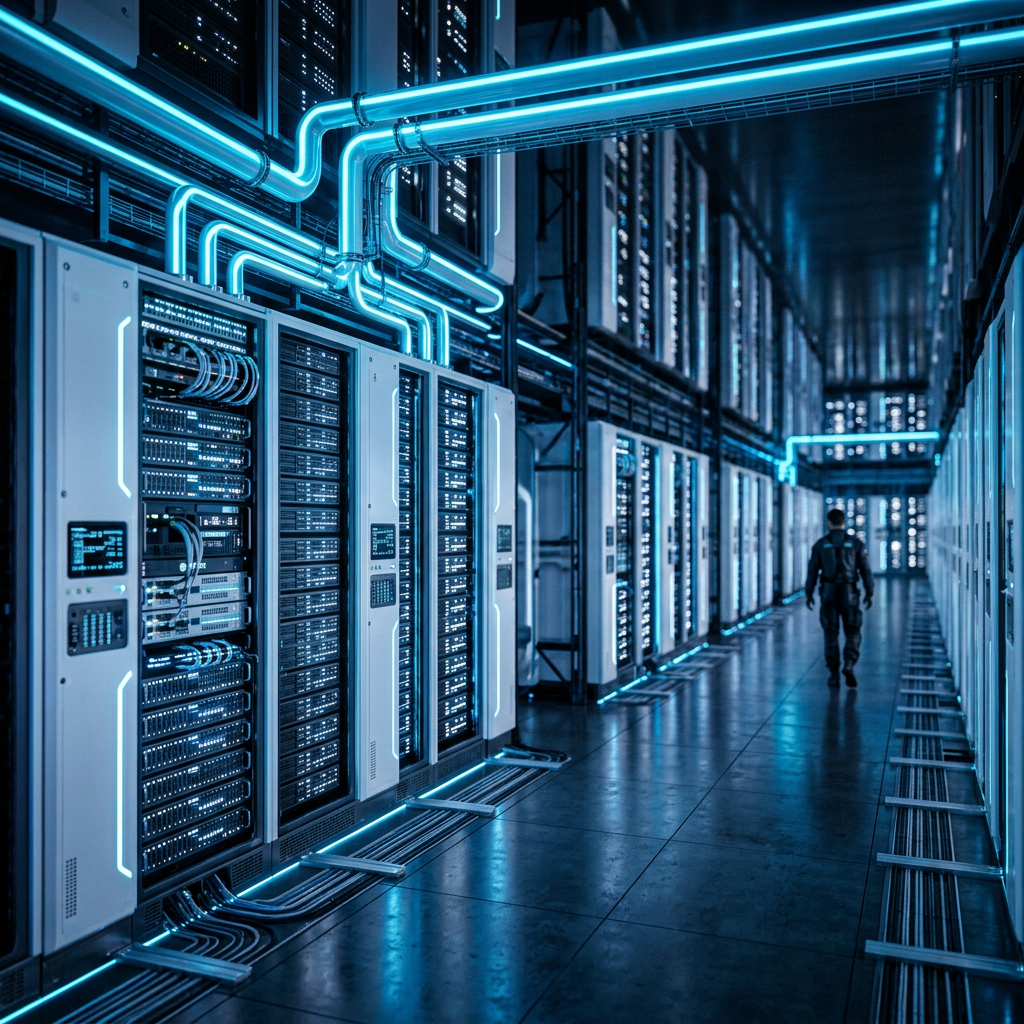
What Is a Computer? The Ultimate Guide for Students & Beginners
A comprehensive, beginner-friendly guide explaining what a computer is, how it works (IPO cycle), its history, and the vital difference between hardware and software.

A comprehensive, beginner-friendly guide explaining what a computer is, how it works (IPO cycle), its history, and the vital difference between hardware and software.
Trending Now
What Is a Computer? The Ultimate Guide for Students & Beginners
Key Takeaways
- A computer is an electronic device that accepts input, processes data, and delivers output through a structured cycle.
- Every computer consists of two fundamental layers: hardware (physical components) and software (programs and instructions).
- Computers range from pocket-sized smartphones to room-filling supercomputers capable of over 1.7 exaFLOPS of processing power.
- Global PC shipments reached approximately 262.7 million units in 2024, reflecting renewed growth in digital adoption worldwide.
- Understanding how computers work is an essential literacy skill — yet U.S. student scores in computer literacy dropped 37 points between 2018 and 2023.
1. Introduction: What Is a Computer?
Walk into any school, office, hospital, or home today, and you will find at least one computer. Yet when asked to define it precisely, many students and beginners struggle to go beyond "it's a machine that does things." That gap in understanding is exactly what this guide is designed to close.
At its most fundamental level, a computer is an electronic device that receives data as input, processes that data according to a set of instructions, and produces a meaningful result as output. According to Britannica Kids, a computer can store, retrieve, and process data — making it one of the most versatile tools ever created by humanity.
The word "computer" originally referred to a person who performed calculations. It was only in the mid-20th century that the term shifted to describe the electronic machines we know today. From calculating missile trajectories in World War II to powering the artificial intelligence assistants on your phone, the computer has evolved at a breathtaking pace — and it shows no signs of slowing down.
Whether you are a school student encountering this topic for the first time, a college student building foundational knowledge, or simply a curious beginner, this comprehensive guide will walk you through everything you need to know about what is a computer, how it works, and why it matters.
2. The Core Concept: The Input-Process-Output (IPO) Cycle
Before exploring components, history, or types, it is essential to understand the single most important principle governing every computer ever built: the Input-Process-Output (IPO) cycle.
Every action a computer performs follows this three-stage model:
| Stage | Definition | Real-World Example |
|---|---|---|
| Input | Raw data or instructions fed into the computer | Typing on a keyboard, clicking a mouse, scanning a barcode |
| Process | The computer manipulates data using stored instructions | The CPU performing a calculation or sorting a list |
| Output | The processed result delivered to the user or another system | Text displayed on screen, a printed document, a sound played |
A fourth element — storage — is often added to this model, creating the IPOS cycle. Storage allows data to be saved for future use rather than discarded after processing, enabling everything from saved documents to long-term databases.
Understanding this cycle is not merely academic. Every time you ask a voice assistant a question, stream a video, or submit an online assignment, the IPO cycle executes millions of times per second, invisibly and reliably, behind the interface you see.
3. Hardware vs. Software: Understanding the Difference
One of the most important distinctions in computing is the difference between hardware and software. Confusing the two is extremely common among beginners, so this distinction deserves clear, deliberate attention.
Hardware refers to every physical, tangible component of a computer — the parts you can touch, hold, or see. This includes the keyboard, monitor, circuit boards, chips, and cables. If it has physical mass and occupies space, it is hardware.
Software, on the other hand, refers to the programs, instructions, and data that tell hardware what to do. Software has no physical form; it exists as coded instructions stored electronically. Without software, hardware is an inert collection of plastic and metal. Without hardware, software has nothing to run on.
"Hardware is the body of the computer; software is its mind." — A widely used analogy in computer science education.
| Feature | Hardware | Software |
|---|---|---|
| Form | Physical and tangible | Intangible, digital |
| Examples | CPU, RAM, hard drive, keyboard | Windows, Microsoft Word, Python |
| Durability | Can wear out physically | Does not wear out, but can become outdated |
| Modification | Requires physical replacement | Updated through downloads or patches |
| Cost Driver | Manufacturing and materials | Development and licensing |
Software itself is divided into two broad categories: system software (such as operating systems that manage the computer itself) and application software (such as word processors, browsers, and games that serve the user's specific needs).
4. Inside the Box: Main Components of a Computer
Knowing what is a computer also means understanding its core components. While modern computers come in many shapes, virtually all of them share the same foundational building blocks.
The Central Processing Unit (CPU)
The CPU, often called the "brain" of the computer, is responsible for executing instructions. It performs arithmetic, logical operations, and manages the flow of data throughout the system. CPU speed is measured in gigahertz (GHz), and modern processors contain billions of transistors etched onto a chip smaller than a postage stamp. Key CPU metrics include clock speed, core count, and cache size.
Random Access Memory (RAM)
RAM is the computer's short-term working memory. When you open an application, it is loaded into RAM so the CPU can access it quickly. RAM is volatile, meaning it loses all stored data when power is cut. More RAM generally allows more programs to run simultaneously without slowing the system.
Storage Devices
Unlike RAM, storage devices retain data permanently. Traditional Hard Disk Drives (HDDs) use spinning magnetic platters, while modern Solid-State Drives (SSDs) use flash memory for significantly faster access speeds and greater durability.
The Motherboard
The motherboard is the primary circuit board that connects all components. It hosts the CPU, RAM slots, storage connectors, and ports — functioning as the central nervous system that allows every part to communicate.
Input and Output Devices
Input devices (keyboards, mice, microphones, scanners, cameras) feed data into the computer. Output devices (monitors, printers, speakers) deliver processed results to the user.
Power Supply Unit (PSU)
The PSU converts alternating current (AC) from a wall outlet into the direct current (DC) voltages required by internal components. Without a functioning PSU, no other component can operate.
5. A Brief History: From Abacus to Artificial Intelligence
The story of the computer is one of humanity's most remarkable intellectual journeys. According to the Computer History Museum, the roots of computing stretch back thousands of years.
- Ancient Era (~2400 BCE): The abacus emerges in Mesopotamia as one of the earliest calculation tools.
- 1642: Blaise Pascal builds the Pascaline, a mechanical calculator capable of addition and subtraction.
- 1837: Charles Babbage conceptualizes the Analytical Engine, a programmable mechanical computer widely considered the conceptual predecessor of modern computers. Ada Lovelace writes what many historians regard as the world's first computer program for this machine.
- 1936: Alan Turing publishes his landmark paper describing the Turing Machine, establishing the theoretical foundation of all modern computing.
- 1945: ENIAC (Electronic Numerical Integrator and Computer), one of the first general-purpose electronic computers, is completed. It weighed 30 tons and occupied 1,800 square feet.
- 1971: Intel introduces the 4004, the world's first commercially available microprocessor, fitting an entire CPU onto a single chip.
- 1984: Apple launches the Macintosh, pioneering the graphical user interface (GUI) for mainstream consumers.
- 2000s–Present: The rise of the internet, smartphones, cloud computing, and now artificial intelligence continues to redefine what a computer is and what it can do.
Each generation of computers became smaller, faster, cheaper, and more powerful — a trend formalized by Moore's Law, which observed that the number of transistors on a chip roughly doubles every two years.
6. Types of Computers: Micro, Mini, Mainframe, and Supercomputers
Not all computers are created equal. They are typically classified by size, processing power, and intended use:
| Type | Description | Example Use Cases |
|---|---|---|
| Microcomputer (Personal Computer) | Designed for individual use; includes desktops, laptops, and tablets | Homework, office work, gaming, creative design |
| Minicomputer | Mid-range systems serving multiple users simultaneously | Departmental servers, scientific research |
| Mainframe | Large, powerful systems handling massive data volumes | Banking transactions, airline reservations, census data |
| Supercomputer | The most powerful computers on Earth, used for complex simulations | Climate modeling, nuclear research, AI training |
| Embedded Computer | Specialized chips built into other devices | Smart TVs, car engines, medical equipment |
The scale of difference between these categories is staggering. A modern smartphone — classified as a microcomputer — has more processing power than the room-sized computers that guided the Apollo moon missions. At the extreme end of the spectrum:
The 'El Capitan' supercomputer, housed at Lawrence Livermore National Laboratory, achieved a speed of over 1.7 exaFLOPS — making it the fastest computer in the world as of late 2024/2025. (Source: Lawrence Livermore National Laboratory)
One exaFLOP equals one quintillion (10¹⁸) floating-point operations per second — a figure that is genuinely incomprehensible on a human scale.
7. How Computers Speak: Binary Code and Data
Computers do not understand human language natively. Every piece of data — a photograph, a word, a musical note, a video — must be converted into a format the machine can process: binary code.
Binary is a base-2 numbering system that uses only two digits: 0 and 1. These correspond to the two electrical states of a transistor — off (0) and on (1). Each individual 0 or 1 is called a bit, the smallest unit of digital information. Eight bits form one byte, which can represent 256 different values and is the standard unit for measuring data.
From bytes, larger units are built:
- 1 Kilobyte (KB) = 1,024 bytes
- 1 Megabyte (MB) = 1,024 KB
- 1 Gigabyte (GB) = 1,024 MB
- 1 Terabyte (TB) = 1,024 GB
All text, images, videos, and programs you interact with are ultimately encoded as sequences of 0s and 1s — processed at speeds measured in billions of operations per second. This elegant simplicity at the hardware level enables limitless complexity at the application level.
8. Operating Systems: The Bridge Between You and the Machine
Without an operating system (OS), a computer would be a collection of components with no way to coordinate or communicate. The OS is the foundational software layer that manages hardware resources and provides a platform on which all other software runs.
Core functions of an operating system include:
- Process Management: Allocating CPU time to running applications.
- Memory Management: Controlling which programs have access to RAM and how much.
- File System Management: Organizing data into files and folders on storage devices.
- Device Management: Communicating with input/output hardware through drivers.
- User Interface: Providing either a Graphical User Interface (GUI) or a Command-Line Interface (CLI) through which users interact with the machine.
The most widely used operating systems for personal computers today are Microsoft Windows, macOS (developed by Apple), and Linux (an open-source system widely used in servers and developer environments). Mobile operating systems — Android (Google) and iOS (Apple) — power the majority of the world's smartphones.
Choosing an OS is one of the first consequential decisions a computer user makes, as it shapes the entire user experience, software compatibility, and security landscape.
9. The Role of Computers in Daily Life and Education
Computers are no longer tools reserved for scientists and engineers. They are embedded in nearly every dimension of modern life, reshaping how we learn, work, communicate, and create.
In Education: Digital tools have transformed the classroom. According to NCES/PISA data, approximately 87% of 15-year-old students in the U.S. have access to a computer at home for schoolwork. Learning Management Systems (LMS), digital textbooks, research databases, and coding platforms have expanded educational access in profound ways.
However, access alone does not guarantee literacy. A concerning finding from the National Center for Education Statistics reveals that U.S. 8th graders' computer and information literacy scores dropped by 37 points between 2018 and 2023 — underscoring the urgent need for structured, high-quality digital education rather than passive exposure.
In Healthcare: Computers power medical imaging equipment (MRI, CT scans), manage patient records through Electronic Health Records (EHR) systems, assist in surgical robotics, and accelerate drug discovery through molecular simulations.
In Business and Finance: From processing billions of credit card transactions daily to powering global stock exchanges and managing complex supply chains, computers are the backbone of the modern economy.
In Communication: Email, social media, video conferencing, and instant messaging — all computer-mediated communication technologies — have fundamentally altered how human beings maintain relationships and share information across geography and time zones.
In Science and Research: Computers enable simulations that would be physically impossible to conduct — modeling climate systems, simulating the behavior of subatomic particles, and mapping the human genome.
10. Future Trends: AI PCs and Quantum Computing
The definition of what is a computer continues to evolve. Two developments are currently reshaping the computing landscape in ways that will affect students and professionals alike.
AI Personal Computers
AI PCs are a new category of personal computer equipped with a dedicated Neural Processing Unit (NPU) — a chip specifically designed to accelerate artificial intelligence tasks locally on the device, rather than relying on cloud servers. These tasks include real-time language translation, image generation, voice recognition, and intelligent task automation.
According to Gartner, AI PCs were projected to account for 31% of all PC shipments in 2025 — a dramatic adoption curve that signals AI is becoming a standard hardware feature, not a luxury add-on.
This shift has significant implications for students: AI-powered tools built directly into computers will increasingly assist with writing, research, coding, and accessibility — raising both the ceiling of what individuals can accomplish and the importance of understanding how these tools work.
Quantum Computing
Where classical computers process information in bits (0 or 1), quantum computers use qubits — quantum particles that can exist in multiple states simultaneously through a property called superposition. Combined with quantum entanglement, this allows quantum computers to solve certain classes of problems exponentially faster than any classical machine.
Quantum computing is still largely in the research and early commercial phase, with companies like IBM, Google, and emerging startups leading development. However, its potential applications in cryptography, materials science, drug discovery, and financial modeling are considered transformative. Understanding these foundations today prepares students for a rapidly approaching technological frontier.
11. Conclusion
Understanding what is a computer means far more than identifying a keyboard and a screen. It means grasping the Input-Process-Output cycle that governs every computation, distinguishing hardware from software, recognizing the roles of the CPU, RAM, and storage, appreciating the centuries of innovation that produced today's machines, and anticipating the AI-driven and quantum-powered future ahead.
Global PC shipments reached approximately 262.7 million units in 2024 (IDC), and the market is being rapidly reshaped by artificial intelligence integration. In this environment, computer literacy is not optional — it is foundational.
Whether you are studying for an exam, beginning a career in technology, or simply trying to make sense of the digital world around you, the knowledge in this guide provides the solid conceptual foundation you need. Computers are not magic — they are logical, structured, and entirely understandable. And understanding them is one of the most valuable investments you can make in your education and your future.
12. Frequently Asked Questions (FAQ)
Q1: What is the simplest definition of a computer? A computer is an electronic device that takes in data (input), processes it according to instructions, and produces a useful result (output). It can also store data for future use.
Q2: What are the 5 main components of a computer? The five core components are the CPU (processor), RAM (working memory), storage (hard drive or SSD), the motherboard (connecting circuit board), and input/output devices (keyboard, monitor, etc.).
Q3: What is the difference between hardware and software? Hardware is the physical equipment you can touch — chips, screens, drives. Software is the coded instructions that direct hardware — operating systems, applications, and programs.
Q4: How many types of computers are there? Computers are generally classified into five categories: microcomputers (personal computers), minicomputers, mainframe computers, supercomputers, and embedded computers.
Q5: Why is computer literacy important for students? Computer literacy enables students to learn more effectively, access digital resources, develop career-ready skills, and participate fully in an economy and society that is increasingly dependent on digital technology. Despite widespread computer access, NCES data shows measurable declines in student literacy scores, making structured learning more important than ever.
Q6: What is an AI PC? An AI PC is a personal computer with a built-in Neural Processing Unit (NPU) that handles artificial intelligence tasks — such as voice recognition, real-time translation, and intelligent automation — directly on the device without requiring internet connectivity.
Sources
- Britannica Kids — Computer Definition
- IDC — Global PC Shipments Data
- Gartner — AI PC Market Statistics
- Lawrence Livermore National Laboratory — El Capitan Supercomputer
- National Center for Education Statistics (NCES) — Computer Literacy & Access Data
- Computer History Museum — Timeline of Computing History
Advertisement
Frequently Asked Questions
What is a computer and how does it fundamentally work?
A computer is an electronic device that processes data according to a set of instructions. It operates using the Von Neumann architecture, which consists of four main stages: Input (receiving data), Processing (using the CPU), Output (presenting results), and Storage (saving data on disks).
How fast are modern computer processors?
Modern CPUs operate at speeds measured in Gigahertz (GHz). For instance, a 3.0 GHz processor can perform 3 billion cycles per second. On a larger scale, the world's fastest supercomputers, like Frontier, have surpassed the exascale barrier, performing over 1 quintillion calculations per second.
Why do computers use binary code (0s and 1s)?
Computers use binary because they are built from billions of transistors, which are microscopic electronic switches. These switches can only be in two states: 'on' (represented as 1) or 'off' (represented as 0). By combining these bits, computers represent complex data like images and videos.
What is the difference between RAM and a Hard Drive?
RAM (Random Access Memory) is 'volatile' memory used for short-term tasks, typically ranging from 8GB to 64GB in modern PCs. A Hard Drive or SSD is 'non-volatile' storage for long-term data; a standard 1TB drive can hold approximately 250,000 photos or 500 hours of HD video.
What are the main types of computers used today?
Computers are categorized by size and power: Personal Computers (PCs/Laptops) for individuals, Servers for managing networks, Mainframes for high-volume transactions, and Supercomputers for scientific research. Even smartphones are powerful computers, often containing 8 or more processing cores.
Sponsored
You Might Also Like


Advertisement
Comments (0)
Sign in to join the conversation
No comments yet. Be the first to share your thoughts!